



Monkeyzino Login & Registration
Completing the Monkeyzino login form takes you straight to your player account. Here, users can make deposits to play any game from our collection as well as manage their profile settings and sessions. If you’re new, create an account so you can enjoy the full functionality of our platform and the Monkeyzino app.



Benefits of Monkey Zino Account
Without an account at Monkeyzino Casino, you basically can’t do anything other than browse the platform and play games in demo mode. User login gives you full control over the account features, like making deposits and bets, creating a list of favorite games and more. We also have a great welcome bonus for newcomers that will give you up to €1,500 and 250 free spins to try out as many titles as you want.
Monkeyzino registration is fast and guarantees you:
- Full access to our game collection
- Secure payments and withdrawals
- Participation in our tournaments and events
- Perks from the loyalty program
In the profile, you can also set gambling limits to control your activity on our platform.
Monkeyzino Casino Registration
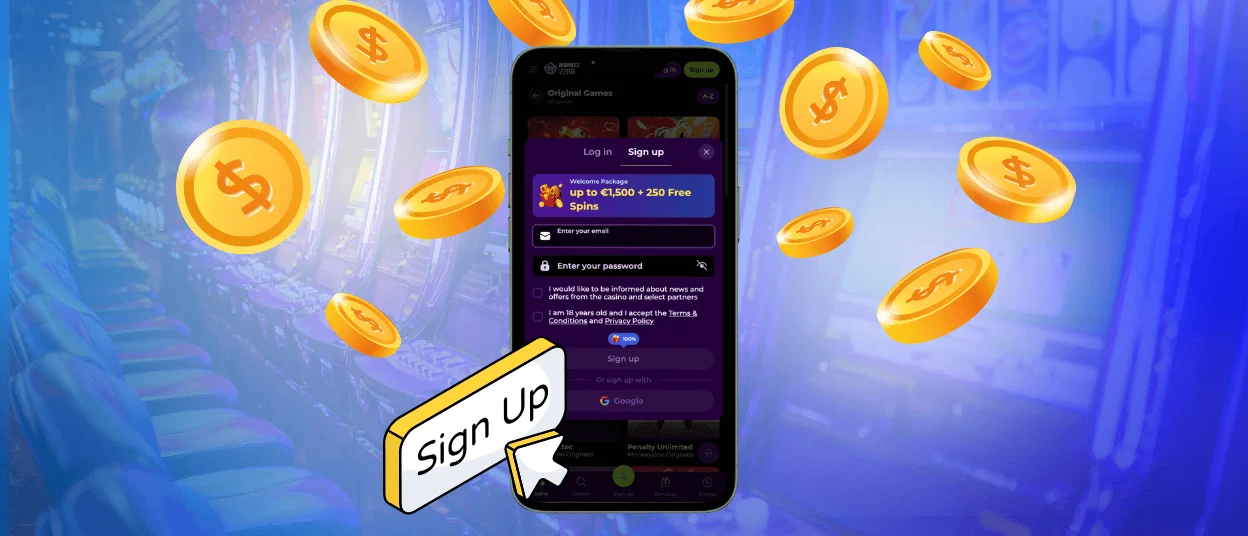
To sign up at Monkeyzino Casino, you must be at least 18 years or older. We also ask you to read our Terms & Conditions before that so you know what we offer and what to expect. Account registration requires only your email and a secure password (more than 6 characters). You can complete it in two steps:
- Tap the Monkeyzino register button in the top-right corner to open the sign-up form.
- Fill in the registration form with your credentials and submit it.
When you’re done, you will receive a letter with the link to verify your email. You can do this right away or after you complete the Monkeyzino login process for the first time. Players can also sign up using their Google accounts.
We ask you to fill in your profile with personal details like full name, date of birth and residential address. It’s in line with the Know Your Customer policy that we follow to ensure you’re a real person.
Log In to Your Account
Now that you have an account, you can use your credentials to fill in the Monkeyzino Casino login form and authorize on the platform. To do so, just click the “Log in” button. After signing in, your interface will slightly change. You will see your current balance in place of the “Sign up” and “Log in” buttons. If you click the profile icon, it will open your account page, where you can manage your settings. It is divided into several sections:
- Wallet. In this section, you can make deposits, withdrawals and see the details about your balance.
- History. It has your casino history, including transactions, betting and bonuses.
- Invite friends. You can copy the referral link here and recommend Monkeyzino to your friends to get additional rewards for their progress.
- Profile. Here you can manage your personal information, change the password, enable 2FA and set gambling limits.
You can also turn on notifications after you authorize with the Monkeyzino login to receive news about the latest updates, bonuses and events.
Account Recovery and Verification
If you tried to sign in to your account and failed several times in a row, you will need to wait 15 minutes to try again. Make sure you enter your credentials correctly. It’s either because you have Caps Lock on or because you are using the wrong password. In the second case, you can just reset it and not waste time. To do so, click the “Forgot password?” link in the Monkey Zino login form. After that, you will receive an email with reset instructions.
We can also temporarily suspend your profile for a security check. You will get an email with the steps you need to follow to restore your account. If you haven’t received anything, please contact our support team.
How to Verify Your Monkey Zino Account
To make withdrawals and other financial operations at Monkeyzino Casino, you need to complete the identity check and pass verification. For this, you will need to provide us with documents that confirm the information in your profile.
| Documents | Requirements | What for? |
| Passport, ID card, driver’s license | Valid documents, clear photo or scan with readable information | To confirm your identity and age |
| Utility bill, bank statement | Must be issued within the last 3 months and show your address | To verify your residential address |
| Photo of the bank card, screenshot of the e-wallet account, bank statement | A card photo with 4 last digits visible, the screenshot that confirms the bank account transactions | To prove your ownership of the payment method |
Our specialists will review your documents and give you an answer about the account approval within 24 hours.
FAQ
Can I change my personal details after registration at Monkeyzino?
You can change your personal data yourself in the profile settings anytime until you complete the verification. If you’ve already passed the identity check and want to change your email, name, or address, you will need to contact our support team.
Can I manually sign out from all devices?
If you’re not going to play again soon after you’re done for the day, you can log out by clicking on your profile icon and selecting the “Log out” option.
Can I share my account profile with a friend?
We do not recommend sharing your account with anyone, including your friends and family. By doing so, you breach the rules of our platform and put your personal information at risk. In this case, Monkeyzino doesn’t hold any responsibility for possible consequences. Moreover, if we detect suspicious activity from your profile, we can suspend it for investigation or ban it permanently.


